


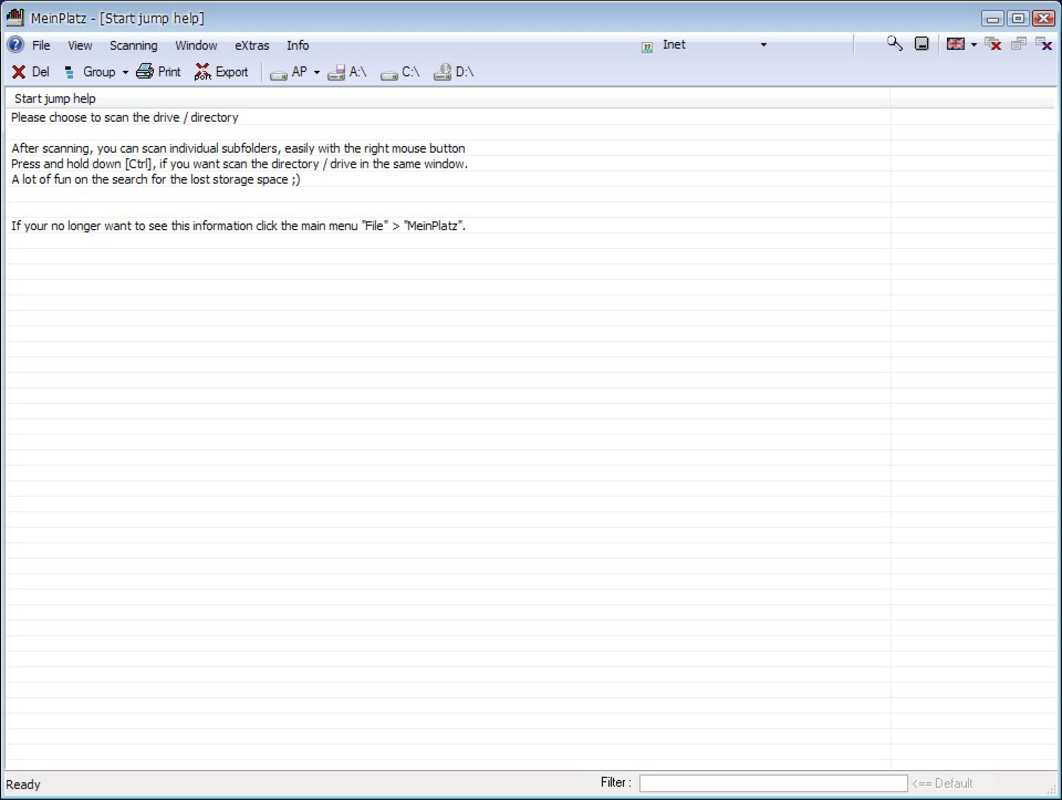
Description
Download MeinPlatz – Free Disk Analysis, Storage Management, Folder Size Viewer
Overview
MeinPlatz is a mobile application designed to help users analyze hard disk and folder storage usage on their computers, offering a free and efficient solution for managing digital space. The app enables users to select a specific disk for scanning, providing a detailed breakdown of folder sizes and storage allocation. This functionality is particularly useful for individuals seeking to reclaim wasted space, optimize disk performance, or identify large files that may no longer be needed. By visualizing storage consumption across directories such as 'My Documents' and 'Program Files,' MeinPlatz empowers users to make informed decisions about file management.
Target users include both novice and intermediate computer users who want to maintain optimal system performance without relying on complex tools. The app’s focus on simplicity and speed makes it ideal for regular maintenance tasks, such as clearing space before installing new software or preparing for system upgrades. Although the developer did not provide additional background information, the app’s purpose is clearly defined: to deliver a lightweight, accessible utility for storage analysis. In the broader app ecosystem, MeinPlatz fills a niche for free, no-installation tools that enhance user control over local storage—especially valuable in environments where disk space is limited or performance is affected by cluttered directories.
Key Features & Functionality
- Free Disk Analysis: MeinPlatz allows users to select any connected disk for a full scan, enabling real-time assessment of storage utilization without requiring administrative privileges or third-party tools.
- Folder Size Visualization: After scanning, the app displays a hierarchical list of all folders with their respective storage consumption, helping users quickly identify space-heavy directories.
- Right-Click Navigation: Users can right-click on any folder to explore nested subdirectories, facilitating deep dives into complex file structures for more precise space management.
- Intuitive Interface: The application features a clean, straightforward layout designed to minimize learning curves, allowing users to perform scans and interpret results with minimal effort.
- Fast Performance: Scanning and rendering folder data occurs within seconds, making the tool suitable for frequent use during routine system maintenance.
For example, a user preparing to install a large software package can quickly run a scan to identify redundant files in 'Downloads' or 'Temp' folders. Another scenario includes a student managing a growing collection of project files, where identifying oversized folders helps in organizing data and freeing up space on a shared device. The app’s ability to deliver actionable insights in a short time enhances productivity and supports better digital hygiene.
Interface, UX & Performance
MeinPlatz features a minimalist user interface with a clear layout focused on functionality and readability. The main screen presents a list of accessible disks, with each entry accompanied by a visual indicator of total and free space. Navigation is streamlined, relying on direct selection and right-click interactions to drill down into folder hierarchies. The design prioritizes usability, ensuring that even users unfamiliar with technical file systems can understand the data presented.
Although the developer did not list formal performance metrics, the app’s operation appears optimized for responsiveness across different device categories. Scans are completed rapidly, and the interface remains stable during extended use. The app maintains consistent performance without noticeable lag or crashes during folder exploration. Users can expect smooth transitions when navigating through nested directories, and the rendering of file size data is accurate and up to date. The absence of intrusive ads or in-app purchases contributes to a clean user experience, aligning with the app’s utility-focused design.
Platform Compatibility & Technical Requirements
MeinPlatz is available on the Android platform, supporting the latest version of the operating system. The app has a file size of 12.3 MB, making it lightweight and suitable for devices with limited storage capacity. Specific requirements were not listed, so compatibility with older Android versions cannot be confirmed. The developer did not specify minimum OS requirements or hardware constraints, suggesting the app is designed to function efficiently on a wide range of modern devices.
Users should ensure their device meets standard Android system specifications to run the application without issues. While the app does not require extensive permissions, it may need access to storage to perform disk scans. The absence of detailed technical documentation means users should rely on standard installation procedures when downloading and installing the app.
Pros and Cons
Pros
- Completely free to download and use with no hidden costs
- Lightweight design with a small file size of 12.3 MB
- Fast scanning and real-time folder size display
- Intuitive interface suitable for users of all experience levels
- Right-click functionality for deep folder exploration
Cons
- Specific system requirements were not disclosed
- Compatibility with older Android versions is unclear
- Developer background and support details were not provided
- Limited to disk analysis on local devices, no cloud integration
- No automatic cleanup or file deletion tools included
FAQ
Is MeinPlatz safe to install on my Android device?
Yes, the app is designed to analyze local storage without modifying files. It does not require excessive permissions and poses no known security risks when downloaded from official sources.
Can I use MeinPlatz to manage storage on my computer?
MeinPlatz is a mobile app designed to analyze storage on connected computers. It requires a compatible connection method to access disk data, though specific integration details were not provided.
Does MeinPlatz support iOS devices?
Currently, the app is available only on Android. No information was provided about future iOS support.
How often should I scan my disk using MeinPlatz?
Users can run scans as needed—commonly before installing new software or when noticing slow performance. Regular checks help maintain optimal storage health.
Does MeinPlatz offer automatic file cleanup?
No, the app only analyzes storage usage. It does not include tools for deleting or organizing files automatically.
Final Thoughts
MeinPlatz stands out as a focused, no-frills tool for users who need to monitor and manage disk space efficiently. Its combination of speed, simplicity, and a clean interface makes it a reliable choice for anyone looking to understand how their storage is being used. While it lacks advanced automation features, its core functionality is executed well, offering real value to users who prioritize control and transparency over their digital files. The app is especially beneficial for students, remote workers, and anyone managing limited storage on personal or shared devices.
With no cost and minimal system impact, MeinPlatz delivers a strong value proposition in the utility app space. Its straightforward design and quick results make it a practical addition to any user’s digital toolkit.
Download MeinPlatz now
Guides & Tutorials for MeinPlatz
How to install MeinPlatz
- Click the Preview / Download button above.
- Once redirected, accept the terms and click Install.
- Wait for the MeinPlatz download to finish on your device.
How to use MeinPlatz
This software is primarily used for its core features described above. Open the app after installation to explore its capabilities.
User Reviews for MeinPlatz 0
No reviews found


